React app deployment with CI/CD on Domino
Author
Wasantha Gamage
Solution engineer
Article topics
React apps, CI/CD, automation, API, DevOps
Intended audience
Platform engineers, DevOps teams, and Domino administrators looking to implement secure, automated app deployment solutions
Overview and goals
Modern data science platforms need to support not just model development but also the deployment of interactive applications that make insights accessible to business users. React applications have become a standard for building rich, responsive user interfaces, but deploying them in enterprise environments requires robust CI/CD practices to ensure quality, security, and reliability.
This blueprint demonstrates how to implement a complete CI/CD pipeline for React applications on Domino Data Lab, enabling teams to:
- Automate deployment workflows across development, UAT, and production environments
- Enforce quality gates through automated testing before promotions
- Maintain environmental isolation while streamlining the promotion process
- Leverage GitHub Actions for orchestration while using Domino APIs for execution
- Reduce manual errors and accelerate time-to-production for data science applications
By following this blueprint, you'll establish a production-ready deployment pipeline that balances developer velocity with operational control, ensuring that only tested and approved applications reach your production Domino environment.
When should you consider automated app deployment in Domino?
This CI/CD pattern is particularly valuable when:
- You have multiple Domino environments: Organizations running separate Domino projects or instances for development, UAT, and production need automated promotion workflows to maintain consistency and reduce manual deployment overhead.
- Your applications require quality gates: When deploying customer-facing or business-critical applications, automated testing and approval workflows ensure that bugs and issues are caught before reaching production users.
- You need audit trails and governance: Regulated industries or compliance-focused organizations benefit from the documented approval process, automated testing records, and version control that CI/CD provides.
- Your team follows GitOps practices: If your organization uses Git as the single source of truth and follows pull request workflows for changes, extending this pattern to application deployments creates consistency across your software delivery lifecycle.
- You want to scale application deployments: Teams deploying multiple React applications or frequently updating existing ones will see significant time savings and reliability improvements through automation.
- Developer self-service is a priority: This approach empowers data scientists and application developers to deploy their own applications following guardrails, without requiring manual intervention from platform administrators for each deployment.
How can you achieve automated app deployment in Domino workflows?
Architecture overview
The deployment pipeline follows a three-tier promotion workflow:


Key components
1. GitHub repository with branch strategy
dev branch: Active development and testinguat branch: User acceptance testingproduction master/main branch: Production-ready code
- Development project: Manual testing and preview inside a workspace
- UAT project: Automated deployment from
uatbranch - Production project: Final deployment after UAT validation
- Triggered on PR merges to
uatandproductionbranches - Execute tests, build the application, and deploy via the Domino API
- Provide deployment status
- Project, Git credentials, and app creation
- Environment management
- Status monitoring and validation
Prerequisites for deploying a React app with CI/CD
Before implementing this CI/CD pipeline, ensure you have:
Domino environment
- Three Domino projects set up (Development, UAT, Production). These can be on a single Domino or on multiple Domino deployments.
- Domino API access with appropriate permissions
- Domino API keys or service account tokens for authentication (stored as GitHub secret)
- Compute environments configured with Node.js runtime for React apps
- For a development project, set the
MODEL_API_URLandMODEL_API_TOKENenvironment variables
GitHub environment
- GitHub repository with appropriate branch protection rules
- GitHub Actions enabled for the repository
- UAT and production GitHub environments with secrets and variables
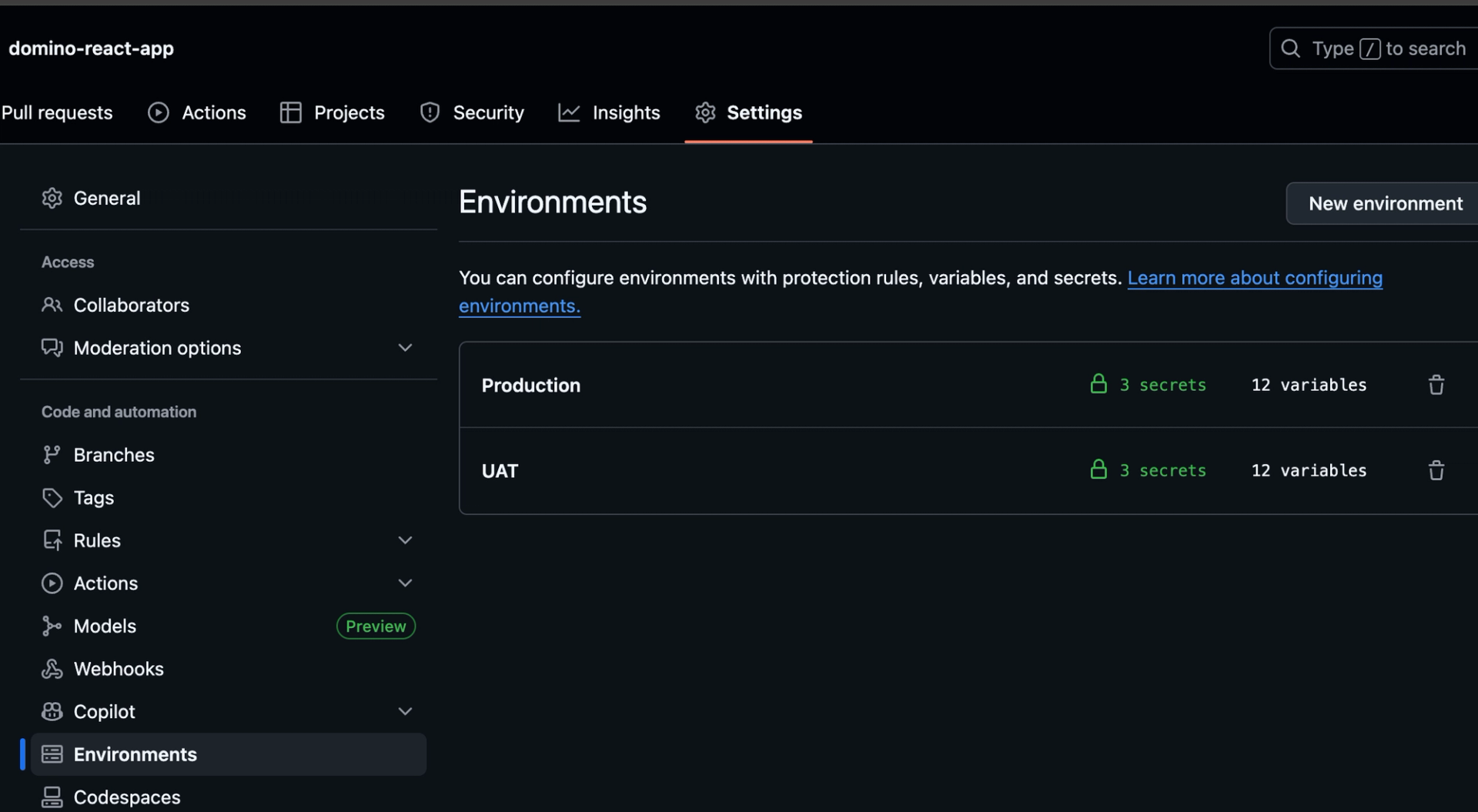
- Required secrets configured:
DOMINO_USER_API_KEY: Your Domino API authentication tokenGH_PAT: GitHub PAT required to create Domino GitHub credentials and clone repos in GitHub actions (repo and workflow scopes)MODEL_API_TOKEN: Model API access token required for React app to connect to Domino Model API endpoint
- Required variables:
DOMINO_URL: Your Domino instance URL (e.g.,https://your-domino.company.com)APP_NAME: React app nameDOMINO_USERNAME: Domino user nameENVIRONMENT_ID: Domino compute environment ID (e.g. 68c09e16ff02ad64bfb459d3)GIT_PROVIDER_NAME: Domino Git credentials nickname (e.g. github_creds_001)HARDWARE_TIER_ID: Domino app hardware tier ID (e.g. small-k8s)PROJECT_NAME: Project Name (e.g. app_cicd_project01)REPO_NAME: Name of the repo in Domino project’s code section (e.g. Domino_React_App01)REPO_URI: GitHub Repository with React app code and CI/CD workflow configuration (e.g. https://github.com/ddl-wasanthag/domino-react-app)MODEL_API_URL: Domino model API url where inference backend for this app is running (e.g. https://cloud-cx.domino.tech:443/models/6608b3be91229570a972aa95/latest/model)

Development tools
- Node.js and npm installed compute environment for local development
- Git configured with access to your GitHub repository
- Familiarity with React application structure
- Basic understanding of Domino's application publishing model
Permissions and access
- Repository write access for developers creating PRs
- Repository admin access for configuring GitHub Actions
- Domino project owner or collaborator role in target projects
- Approval permissions for production deployments (if using GitHub environments)
Implementation guide for deploying a React app with CI/CD
Step 1: Repository structure setup
Clone the blueprint repository and examine its structure:
git clone https://github.com/ddl-wasanthag/domino-react-app.git
cd domino-react-app
git checkout dev
Your repository should follow this structure:
.
├── app-code/                              # Example app code template
│   ├── eslint.config.js
│   ├── index.html
│   ├── package.json
│   ├── public/
│   ├── README.md
│   ├── src/
│   └── vite.config.js
├── app.sh                                 # Domino app definition script
├── cicd/                                  # Python script with Domino API to provision Domino artifacts
│   ├── app-configs.yaml
│   ├── create_git_based_project_and_app.py
│   └── requirements.txt
├── endpoint/                              # Domino model API endpoint setup notebook
│   ├── cali-house-price-prediction.ipynb
│   └── README.md
├── my-vite-app/                           # Actual app code to be deployed to UAT/prod
│   ├── dist/
│   ├── eslint.config.js
│   ├── index.html
│   ├── node_modules/
│   ├── package.json
│   ├── package-lock.json
│   ├── public/
│   ├── README.md
│   ├── src/
│   └── vite.config.js
├── README.md                              # Main project documentation
└── setup_app_preview.sh                   # Workspace dev and preview steps
Step 2: Set up the model API endpoint
The example React app is a frontend to a model API endpoint in the backend that predicts house prices given various features. There is a notebook in the endpoint folder that creates an example house price prediction endpoint. Execute the notebook and note down:
1. The model API endpoint

2. Model API token

Step 3: Configure GitHub environments and secrets
Navigate to your GitHub repository settings, environments, and configure UAT and production environments as mentioned in the prerequisites sections.
Step 4: Create GitHub Actions workflows
UAT and production deployment workflows are in the .github/workflows/deploy-uat.yml
Step 5: Development and preview
In this step, the app is developed and previewed inside a Domino workspace. Create a Domino workspace in the development project with the dev branch.

Now, develop and preview the app. The provided setup_app_preview.sh script can be used to set up Node, NPM, Vite framework, and deploy the code.

App can be accessed for preview with a Jupyter Proxy URL available inside Domino.
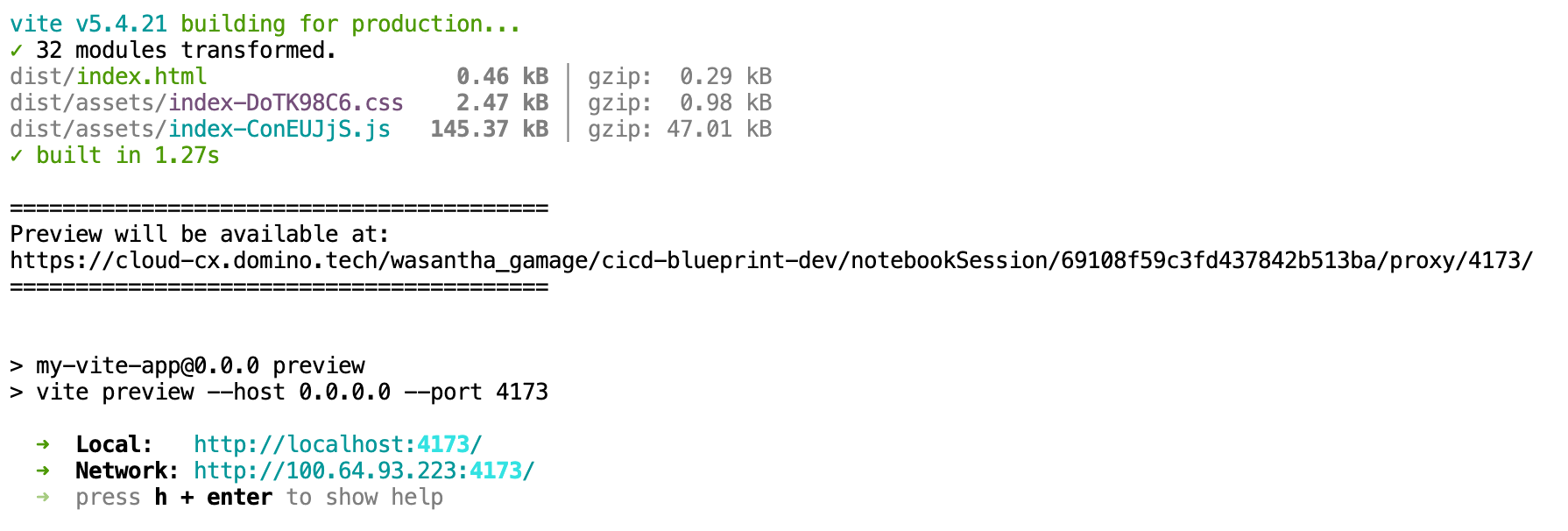
Clicking this link will open up the app in the browser.

Note that the Vite app is referencing the Model API endpoint hosted using the environment variable in app-code/App.jsx
const callAPI = async (inputData) => {
    try {
      // Debug: Check what environment variables are available
      console.log('=== DEBUG: Environment Variables ===');
      console.log('VITE_MODEL_API_URL:', import.meta.env.VITE_MODEL_API_URL);
      console.log('VITE_MODEL_API_TOKEN:', import.meta.env.VITE_MODEL_API_TOKEN);

      // Read from OS environment variables (as set in Domino)
      const modelApiUrl = import.meta.env.VITE_MODEL_API_URL || import.meta.env.MODEL_API_URL;
      const modelApiToken = import.meta.env.VITE_MODEL_API_TOKEN || import.meta.env.MODEL_API_TOKEN;
Step 6: Commit the code to the dev branch
Commit the final app code changes to the dev branch.

Step 7: Create a pull request to merge changes to the UAT branch
The pull request will kick off the tests.
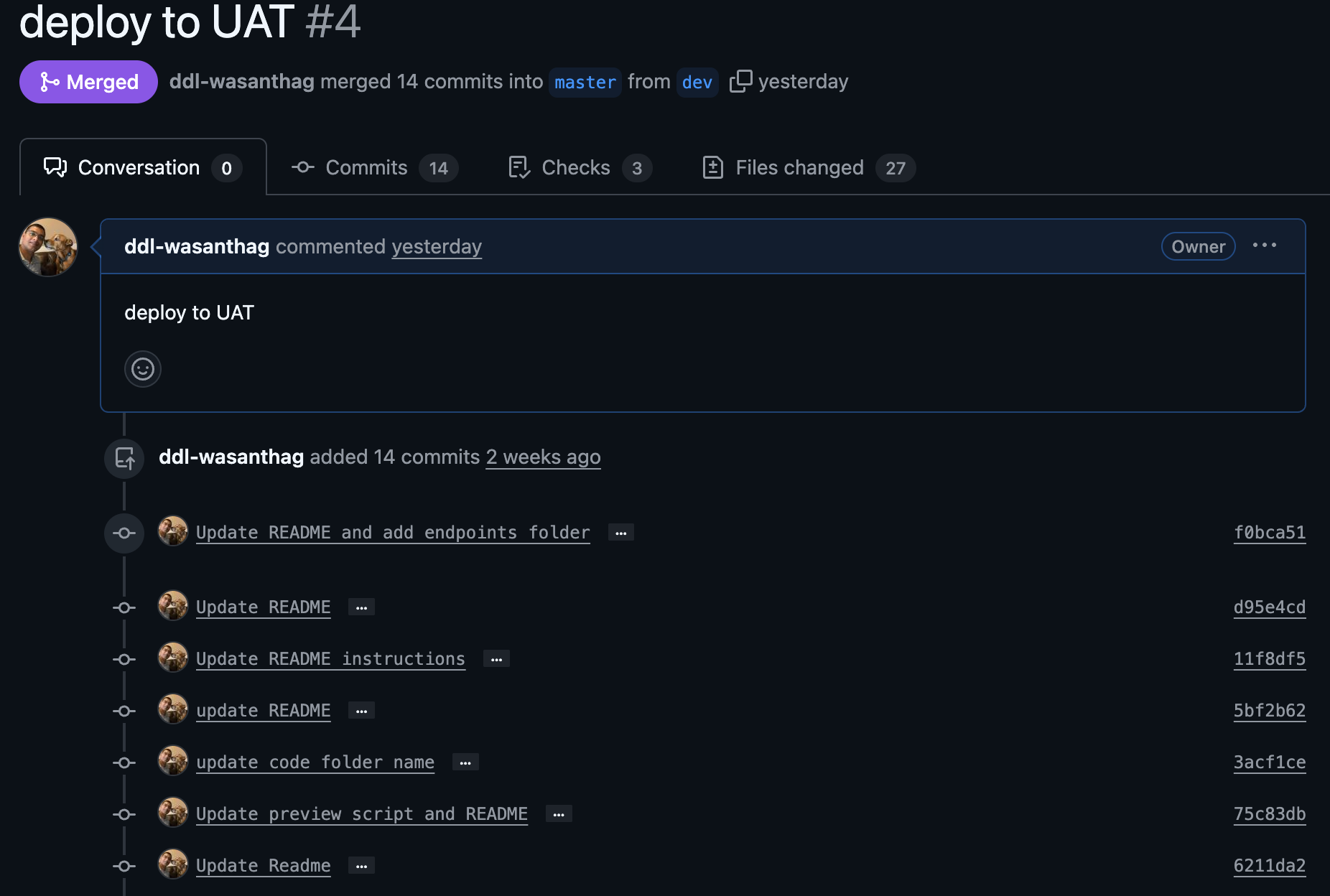
Step 8: Merge changes to UAT and deploy the app to UAT
Merge the changes to kick off the GitHub Actions to deploy the app to UAT. Log in to Domino, and Git credentials are created.

Review the project that was created with the UAT branch.
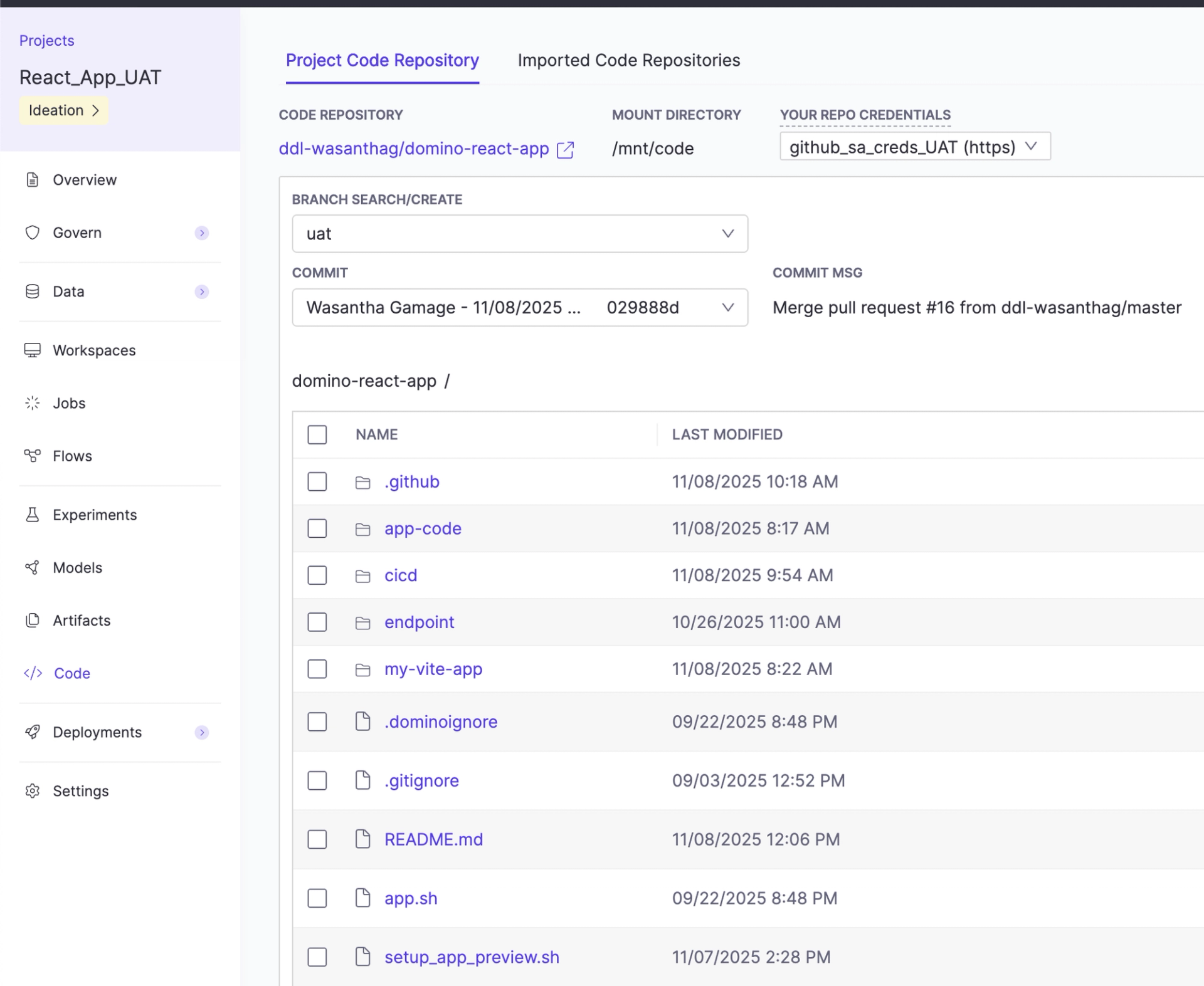
Review the app and confirm it is running.

Step 9: Create a pull request to merge changes to the production branch
Now UAT testing is completed, and create a PR when ready to be promoted to production.

Step 10: Merge changes to production and deploy the app to production
When the tests are completed, merge the code to kick off the deployment to production.

Now review that Git credentials are created in Domino.
Review the production project that was created with the master branch.
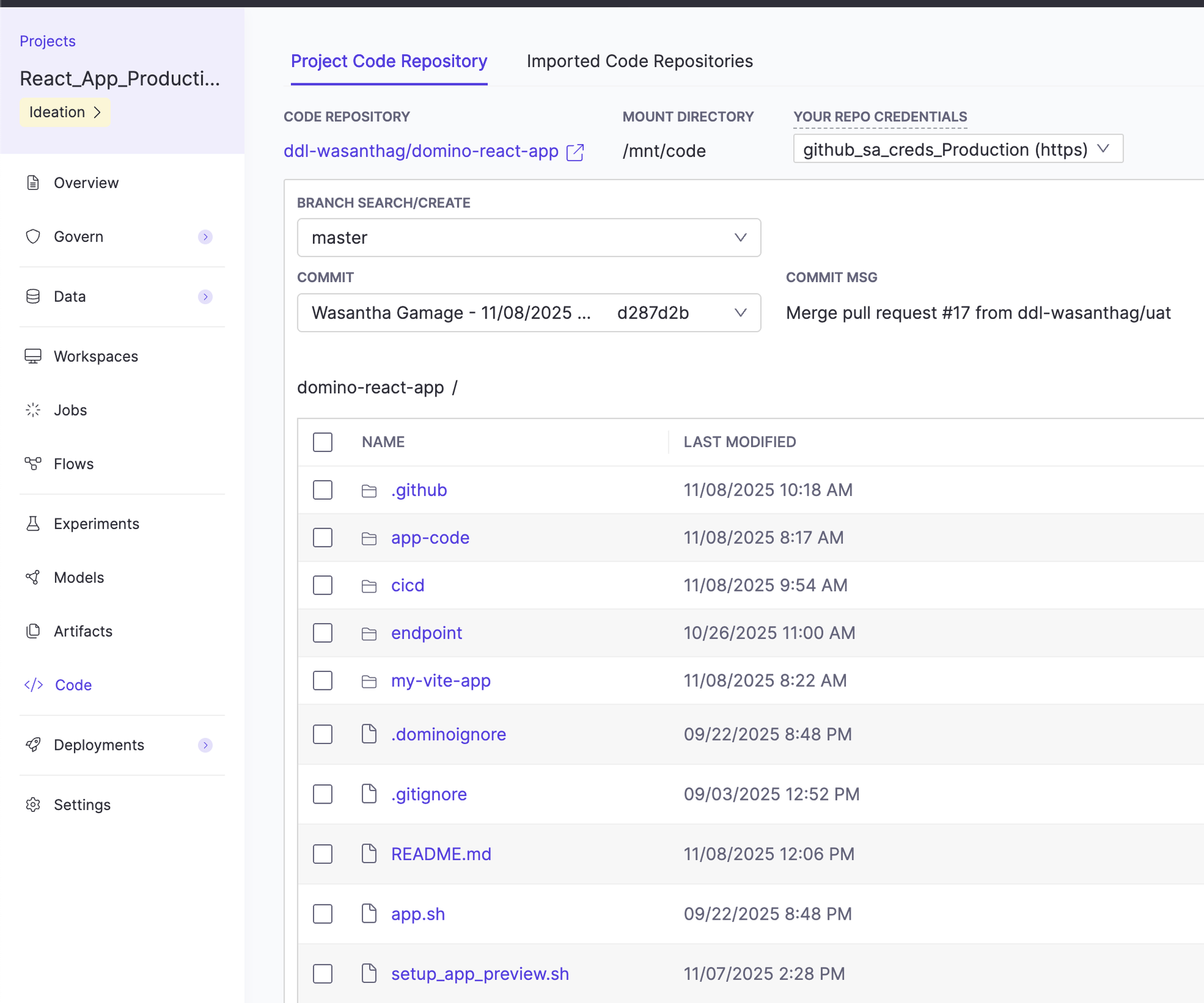
Review whether the app is running.

Check out the GitHub repo


Wasantha Gamage
Solutions engineer

I partner with some of the largest life sciences companies to ensure successful adoption of the Domino platform. I design and deliver solutions addressing real-world challenges in pharmaceutical and biotech organizations. My focus is training and advising data scientists on efficient platform use and onboarding complex AI/ML use cases across domains like histopathology and oncology.